

Maintenance teams
See developing conditions sooner and plan service with operating history close at hand.
Give your team 24/7 visibility into connected compressed air systems. Check operating conditions, follow alarms, and plan service across your sites—from the plant floor, office, or field.
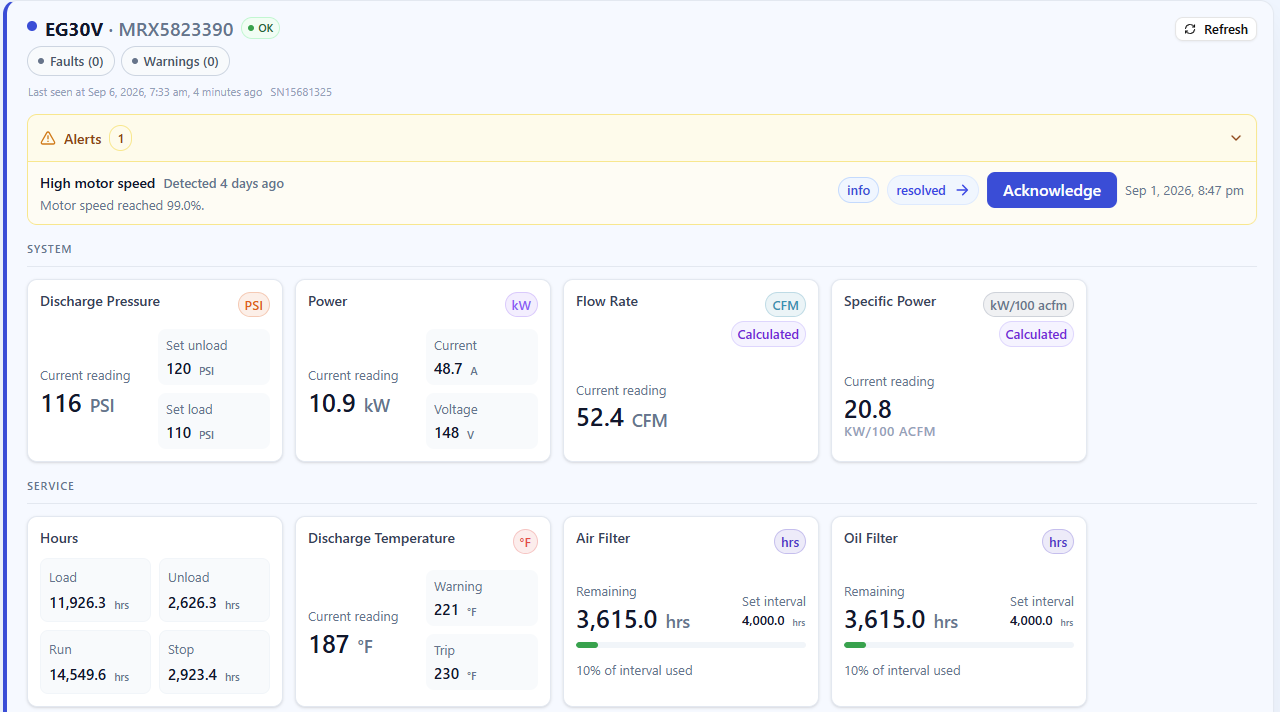
Open CFM-IQ on a computer, tablet, or phone to review connected equipment at one site or across multiple locations.
When conditions change, your team can review the alarm and operating history before deciding what needs to happen next.
See equipment status and operating conditions across sites.
Use alerts and notifications to direct your team’s attention.
Review trends and service history before taking action.
Available measurements depend on the connected equipment and monitoring setup.
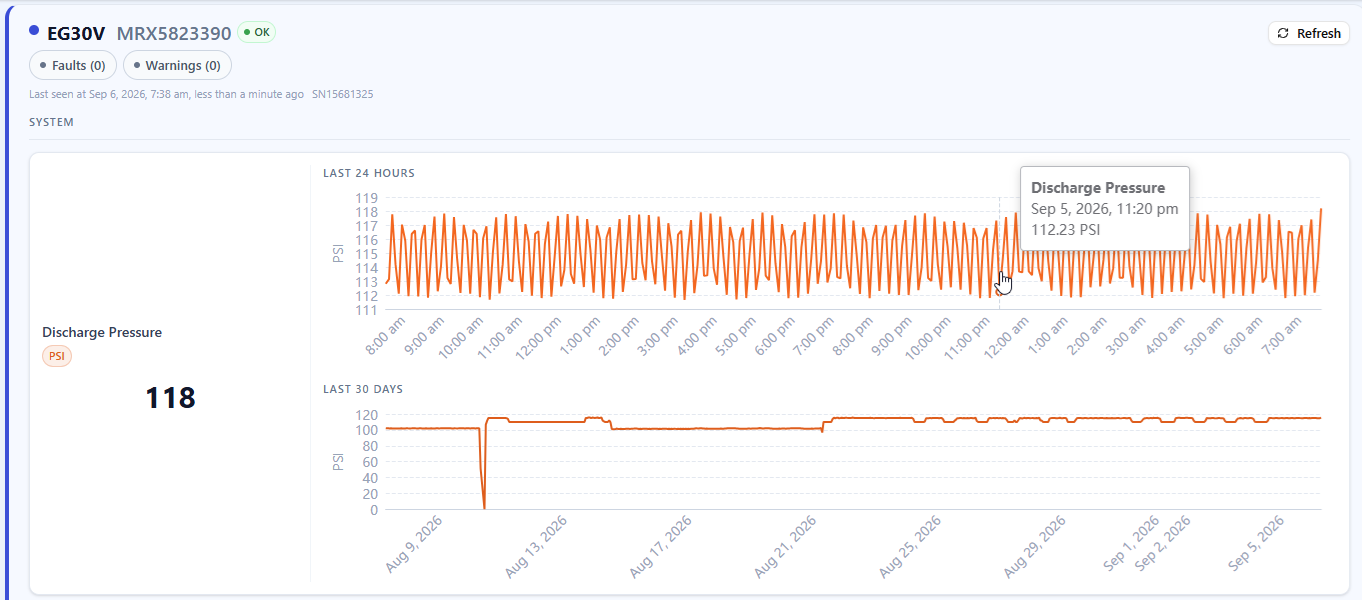
Put the latest reading alongside the last day and the last month. Follow cycling patterns, pressure changes, and shifts in operating conditions before planning the next step.
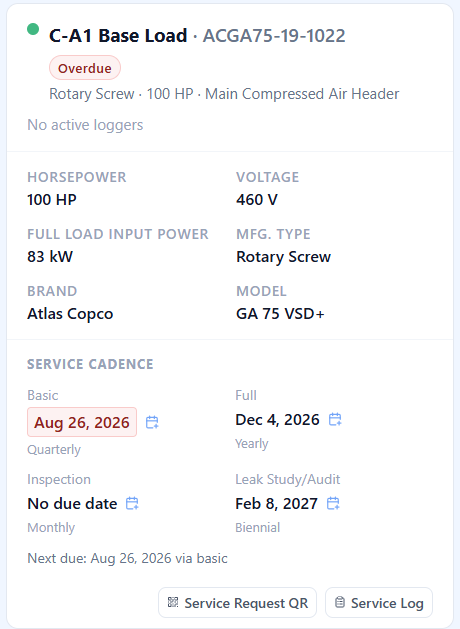
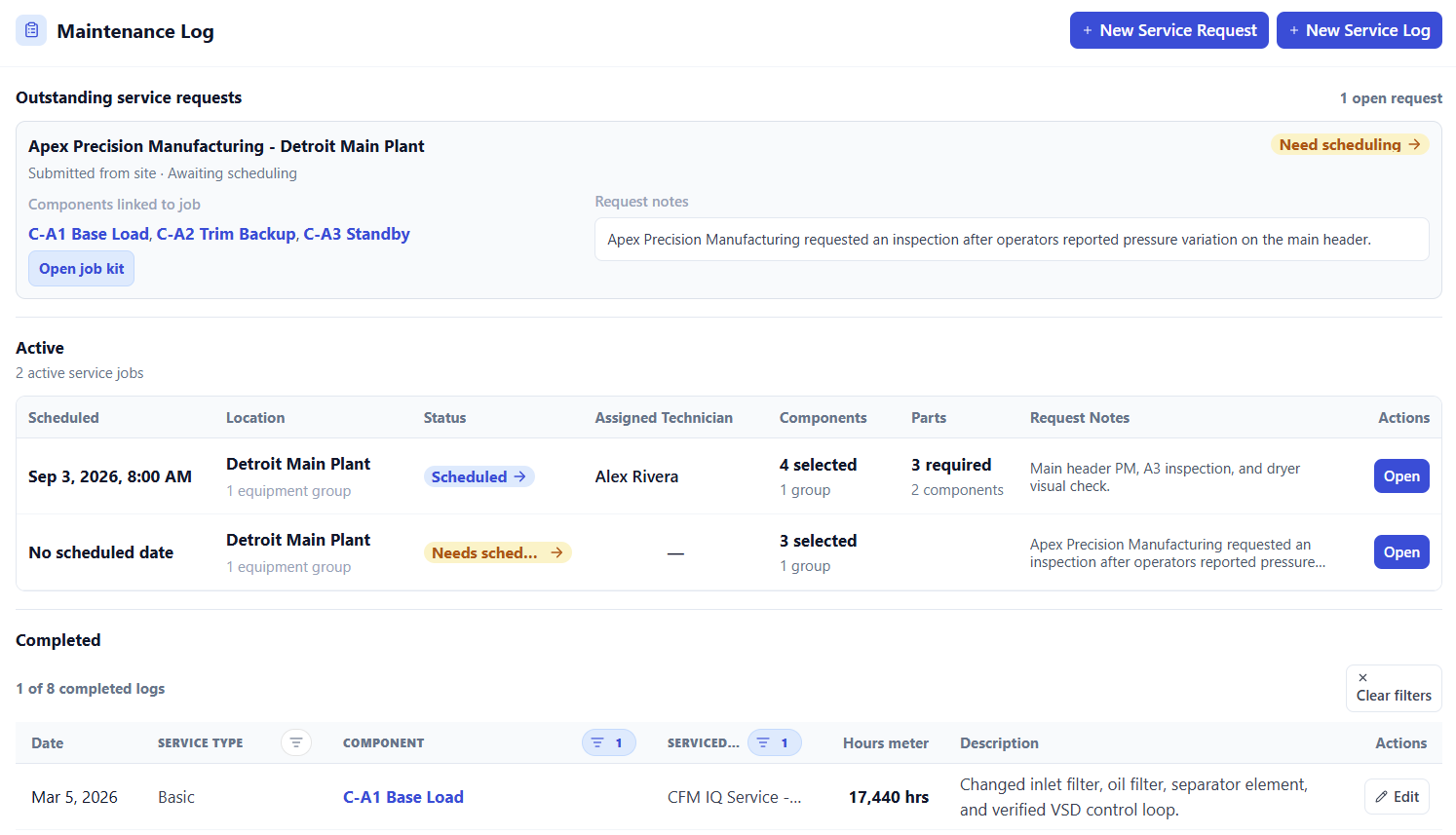
Keep upcoming work, equipment runtime, and completed maintenance in one place—for the people operating the equipment and the people servicing it.
Review service cadence, upcoming dates, and overdue maintenance.
See specifications and performance information alongside the service plan.
Access service records and equipment service requests.
Keep day-to-day operation and long-term care connected.
A traditional air audit captures a window in time. CFM-IQ keeps the system in view so your team can investigate energy waste, understand demand, and compare measured performance before and after a change.
Explore Air Audits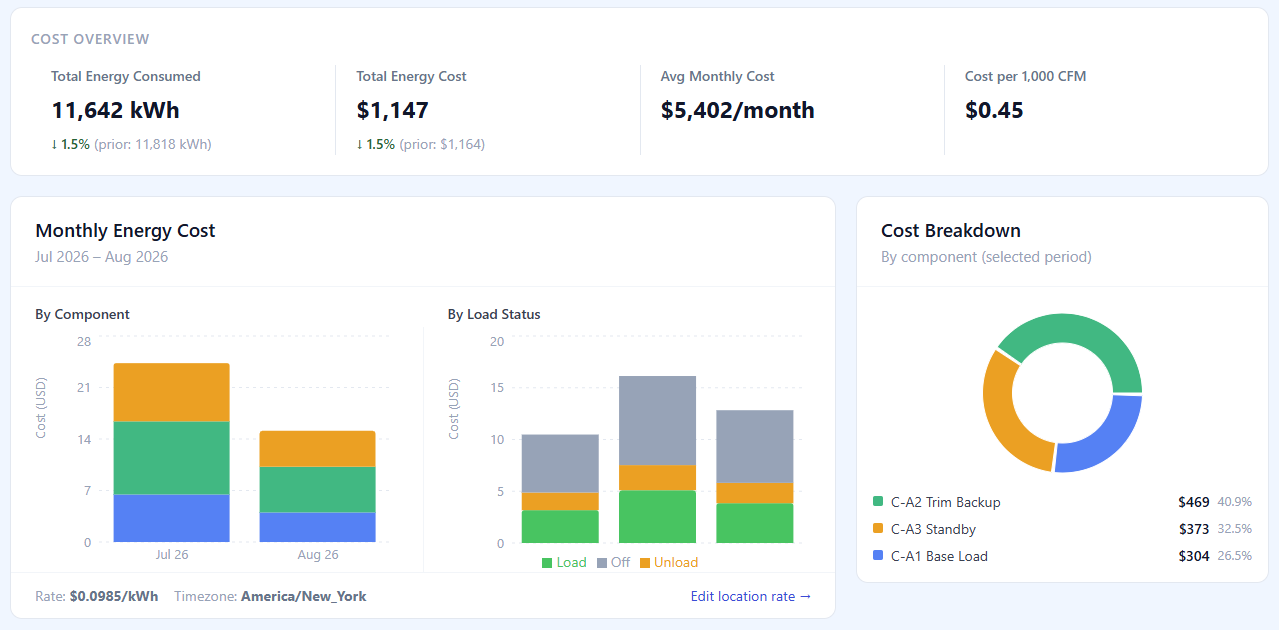
Review idle running, pressure instability, sequencing, and specific power to identify opportunities for further investigation.
Follow trends over time, evaluate capacity utilization, and check improvements against measured performance.
Use available what-if tools to compare a replacement compressor, a new compressor installation, or equipment sized for future demand alongside the system’s operating data.
See developing conditions sooner and plan service with operating history close at hand.
Keep equipment conditions, production stability, and energy use visible across the system.
Review equipment remotely and arrive at the site better prepared for the work ahead.
Explore live monitoring, maintenance, and energy insights in a guided demo. Tell us about your equipment and what you want to understand better.